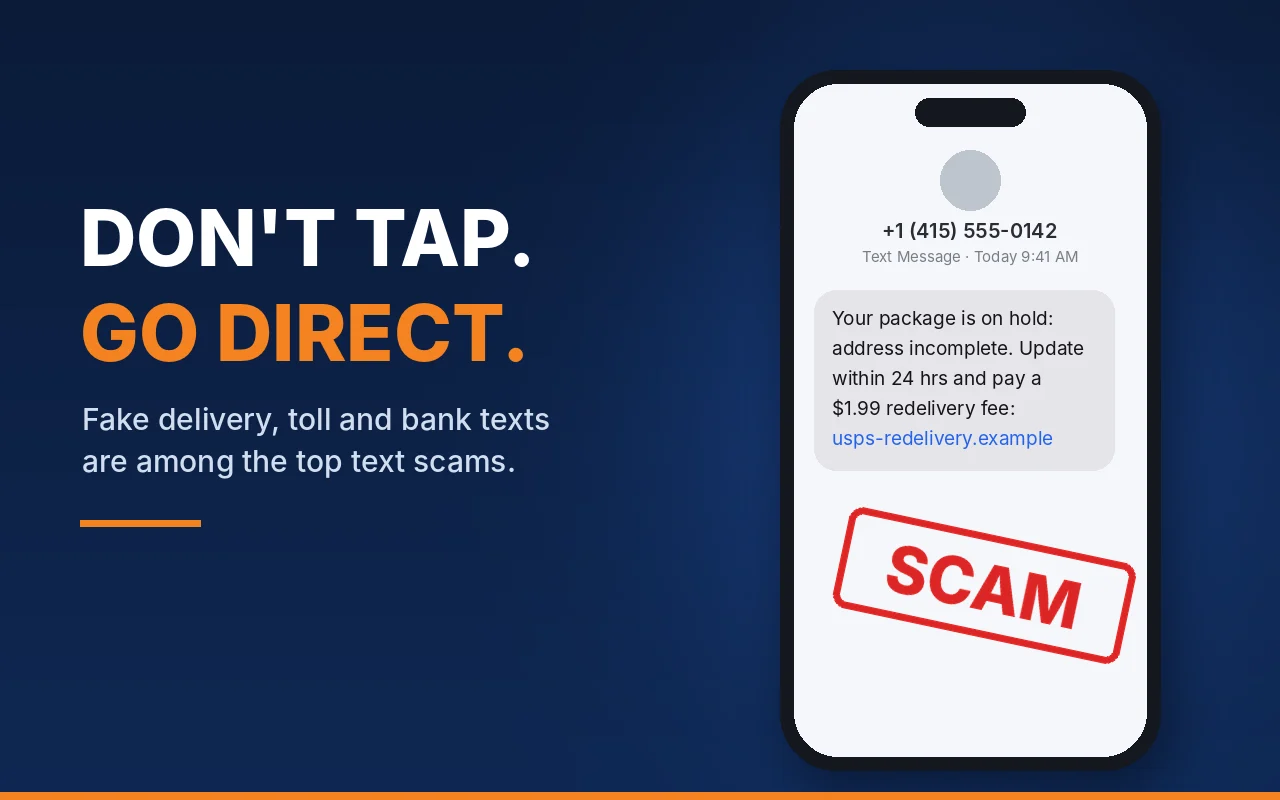
Your front desk is expecting a box of holiday supplies. Then a text arrives on their phone: "Your package is on hold because the address is incomplete. Update it here within 24 hours and pay a small redelivery fee." The link opens a page that looks just like the Postal Service website. They type in the office credit card. There never was a problem with the package.
Fake delivery texts were the most reported text scam to the Federal Trade Commission in 2024, and the next few weeks are when they blend in best. Packages are moving, staff are ordering supplies and gifts, and everyone is busy. Here is what to watch for and five simple steps that protect your team.
Why Texts Are a Business Problem
Scam texts can feel like a personal nuisance, but your staff use their phones to check work email, approve logins and pay bills. One tap on a fake link can hand over a company card number or a work password.
The losses are real. According to the FTC's review of text scams, people reported losing $470 million to scams that started with a text in 2024, more than five times the 2020 number. Messages about package deliveries, usually pretending to be from the U.S. Postal Service, were the most reported text scam that year.
The Five Texts to Watch For
The FTC's review found these were the five most reported text scams in 2024. Each one has a twist that matters for an office.
Fake delivery problems. A missed delivery, a wrong address or a small "redelivery fee." The FTC says many people paid that small fee, and it turned out to be a trick to get their credit card or even their Social Security number.
Fake job offers. Scammers use a real company's name to offer pay for simple, repetitive tasks like rating products or apps, then ask "workers" to send money that they never get back. Your organization's name could be the one they borrow, so take reports from the public seriously.
Fake fraud alerts. A text about "suspicious activity" or a large purchase, often pretending to be from a bank or Amazon. People who call or reply reach a fake fraud department that pushes them to move money to "keep it safe." The FTC says people who move that money do not get any of it back.
Unpaid toll notices. A text says you owe a toll and adds a late fee. Any organization with company cars or staff who drive for work should expect these.
"Wrong number" texts. A friendly message meant for "someone else" turns into a fake friendship and, eventually, a pitch to "invest." The FTC says people report losing all the money they put in, often tens of thousands of dollars.
What the Real Companies Actually Do
The Postal Service. The U.S. Postal Inspection Service says USPS will not send text messages or emails unless you first asked for updates with a tracking number, and those messages will not contain a link.
Toll roads in Virginia. The Virginia Department of Transportation advises drivers not to click links in unexpected toll texts and to check balances and pay only on the official sites, ezpassva.com and tollroadsinvirginia.com.
Your bank. If a text says there is a problem with your account, the FTC says to call the number on your statement, never the number in the message. Its advice is blunt: "Someone who says you have to move your money to protect it is a scammer. Period."
Five Simple Steps to Protect Your Team
1. Make "Don't Tap, Go Direct" the Rule
Never tap a link in a text you did not expect. If it might be real, open the shipper's app or website yourself, or use the tracking link in the order confirmation from the store. The FTC gives the same advice: contact the company using a phone number or website you know is real.
2. Report It, Then Delete It
Show your team three quick ways to report a scam text. Forward it to 7726 (it spells SPAM), which helps phone carriers block similar messages. Use the "Report Junk" option in your phone's messaging app. Fake Postal Service texts can also go to the Postal Inspection Service at spam@uspis.gov.
3. Agree That Money Never Moves Because of a Text
Put it in writing: no one at our organization pays a fee, moves money or buys anything because of a text message. Anything about money gets checked by phone, using a number you already have. This one rule also stops the gift card and fake-boss scams we covered in our holiday gift card scams guide.
4. Make It Safe to Say "I Clicked"
Tell staff to speak up right away, with no blame. A quick report means a card can be canceled or a password changed before real damage is done. Turn on two-step login (multi-factor authentication) for email, banking and payroll, so a stolen password alone is not enough to get in.
5. Keep Phones Updated and Talk About It
Phones used for work need the same care as office computers. Ask everyone to install updates when their phone prompts them, as we noted in our November 3 briefing on Apple's security fixes. Then spend ten minutes at your next team meeting on the five texts above. The FTC's free guide, Scams and Your Small Business, is a good handout. Our phishing awareness guide has more ideas.
FTC help for small businesses. For National Veterans Small Business Week, the FTC and the Florida Veterans Business Outreach Center scheduled a free webinar, Helping Military Veterans Protect Their Small Business from Scams, for November 9, 2026, on training employees to protect a business from scams. As the FTC puts it, "Your best defense against scammers is an informed workforce."
If Someone Already Clicked
Act quickly. If a card number was entered, call the bank to cancel the card and dispute any charges you do not recognize. If a password was typed in, change it right away, along with anywhere else that password is used, and tell your IT team. Then report the text. The FBI asks people to file a complaint at IC3.gov and include the phone number that sent the text and the website it linked to.
A Note for Nonprofits
Your donors get these texts too, and the FTC warns that scammers pretend to be well-known charities. During your end-of-year campaign, tell supporters how you will contact them and that donations happen only on your official website. That helps them spot a fake that uses your name.
Final Thoughts
A fake delivery text looks like an ordinary errand, not a cyberattack. That is why a simple team rule, "don't tap, go direct," works so well, and it costs nothing.
Good security is not just an expense. It protects the trust your clients, donors and staff place in you. JPert helps Northern Virginia businesses and nonprofits set up these protections through our cybersecurity services and security awareness training. Book a free IT assessment and we will review how your team's phones, email and accounts are protected before the holidays.
Sources
Federal Trade Commission, Top text scams of 2024 (Data Spotlight, April 2025).
Federal Trade Commission, FTC Data Show People Reported Losing $3.5 Billion to Imposter Scams in 2025 (June 2026).
Federal Trade Commission, Got a call about fraud activity on your bank account? It could be a scammer (June 2024).
Federal Trade Commission, How to Recognize and Report Spam Text Messages.
Federal Trade Commission, Scams and Your Small Business: A Guide for Business.
Federal Trade Commission, Help veteran-owned small businesses avoid scams during National Veterans Small Business Week (November 5, 2026).
U.S. Postal Inspection Service, Smishing.
Virginia Department of Transportation, VDOT cautions people of fraudulent text scams.
FBI Internet Crime Complaint Center, Smishing Scam Regarding Debt for Road Toll Services (April 2024).
JPert supports organizations across Tysons, Vienna, McLean, Reston, Herndon, Fairfax, Falls Church, Ashburn, Sterling, and Leesburg.
Want more JPert cybersecurity and IT tips in your Google results? Add JPert as a preferred source.